

Virtual Lab
Learn by running real engineering models
14 experiments built in MATLAB and Simulink R2026a by the Aura Volt team — from motor drives and converters to batteries and robots.
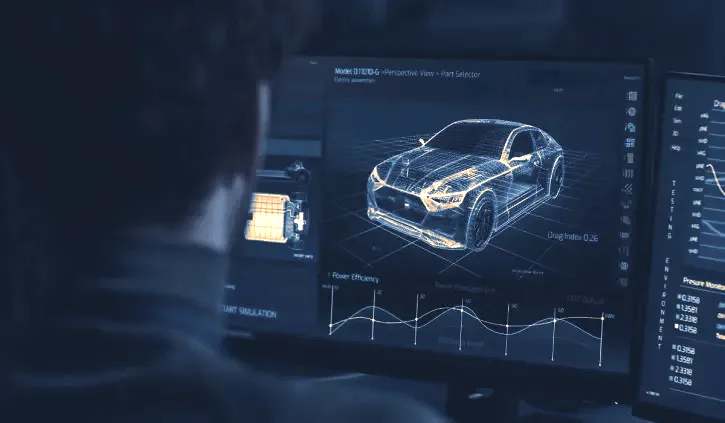
Electric-motor control for EVs: six-step, field-oriented and switched-reluctance drives.
 AdvancedLive animation
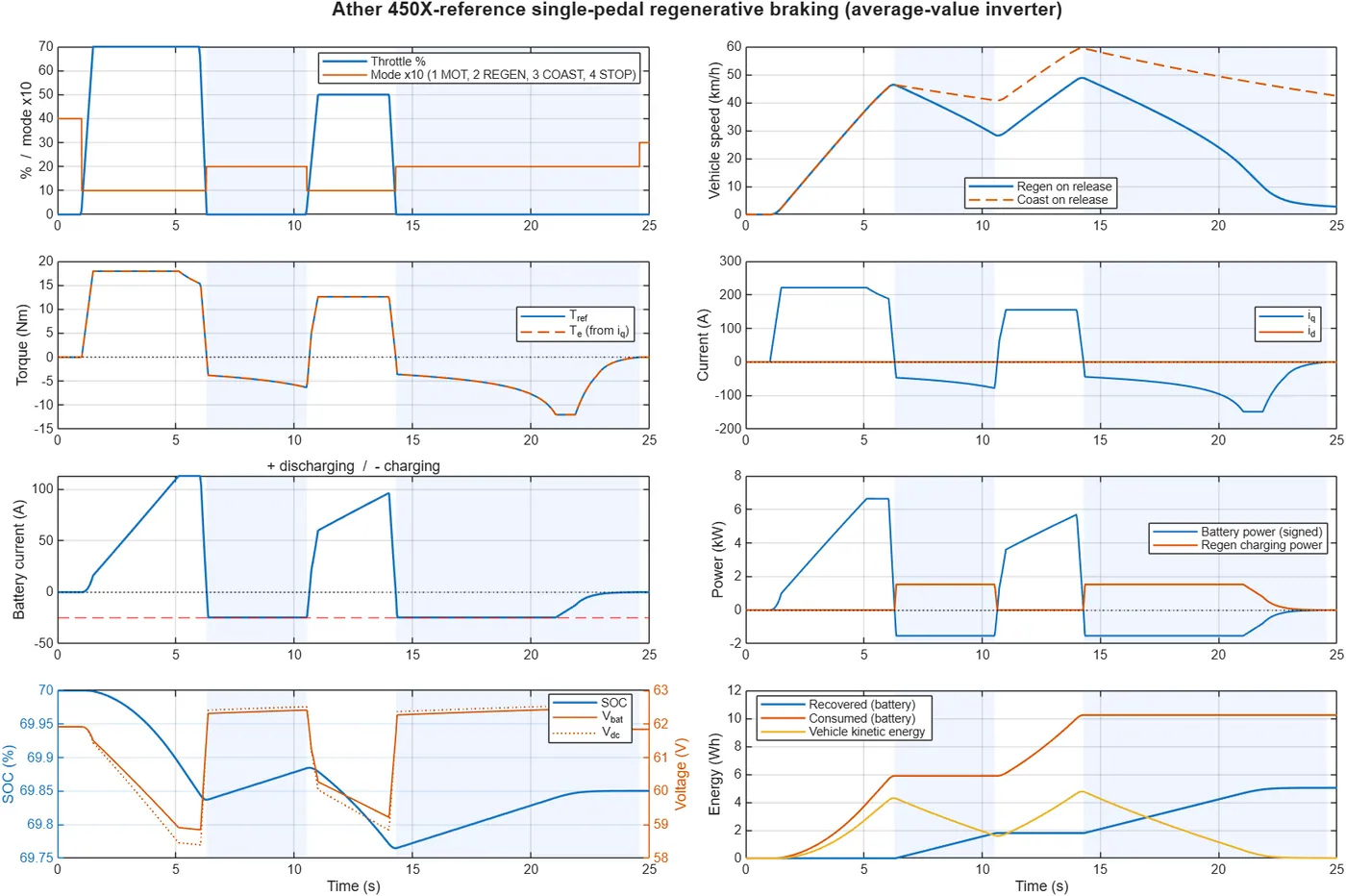
Single-pedal regenerative braking (Ather 450X reference)
An electric scooter drive where lifting the throttle brakes the vehicle and returns energy to the battery.
View experiment →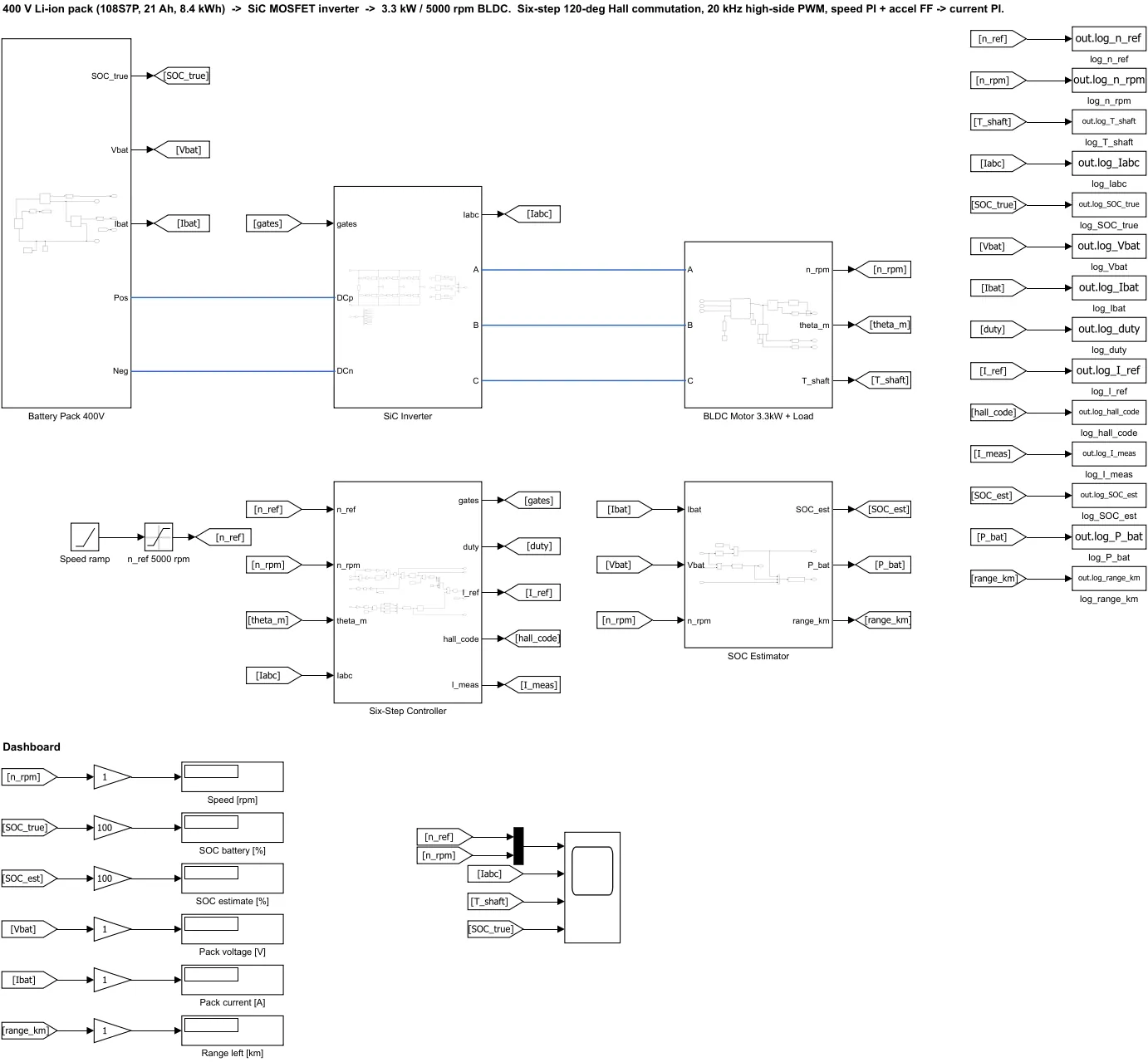 IntermediateLive animation
BLDC six-step drive with SiC inverter
A brushless DC motor driven by Hall-sensor six-step commutation through a silicon-carbide inverter.
View experiment →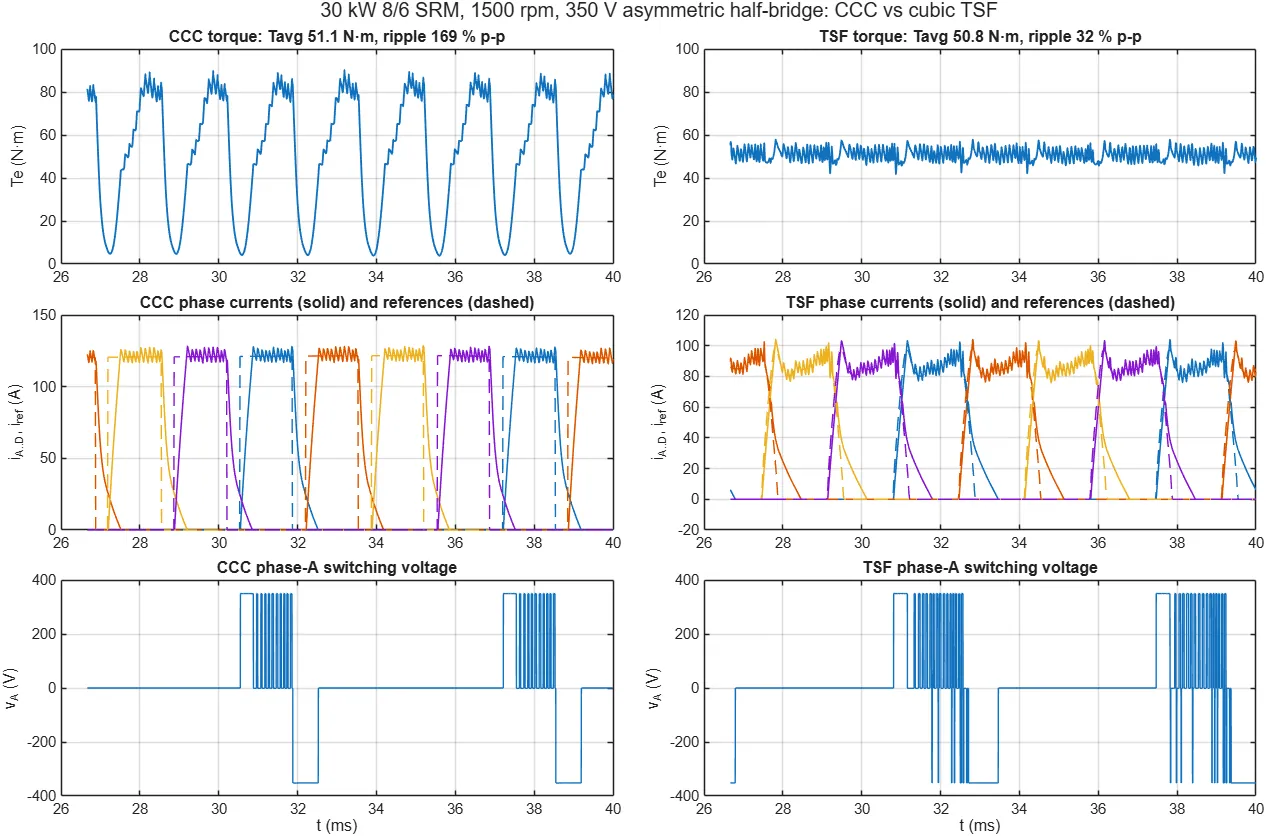 AdvancedLive animation
Switched reluctance motor: torque-sharing control
Reduce the torque ripple of a switched reluctance motor by sharing torque smoothly between phases.
View experiment →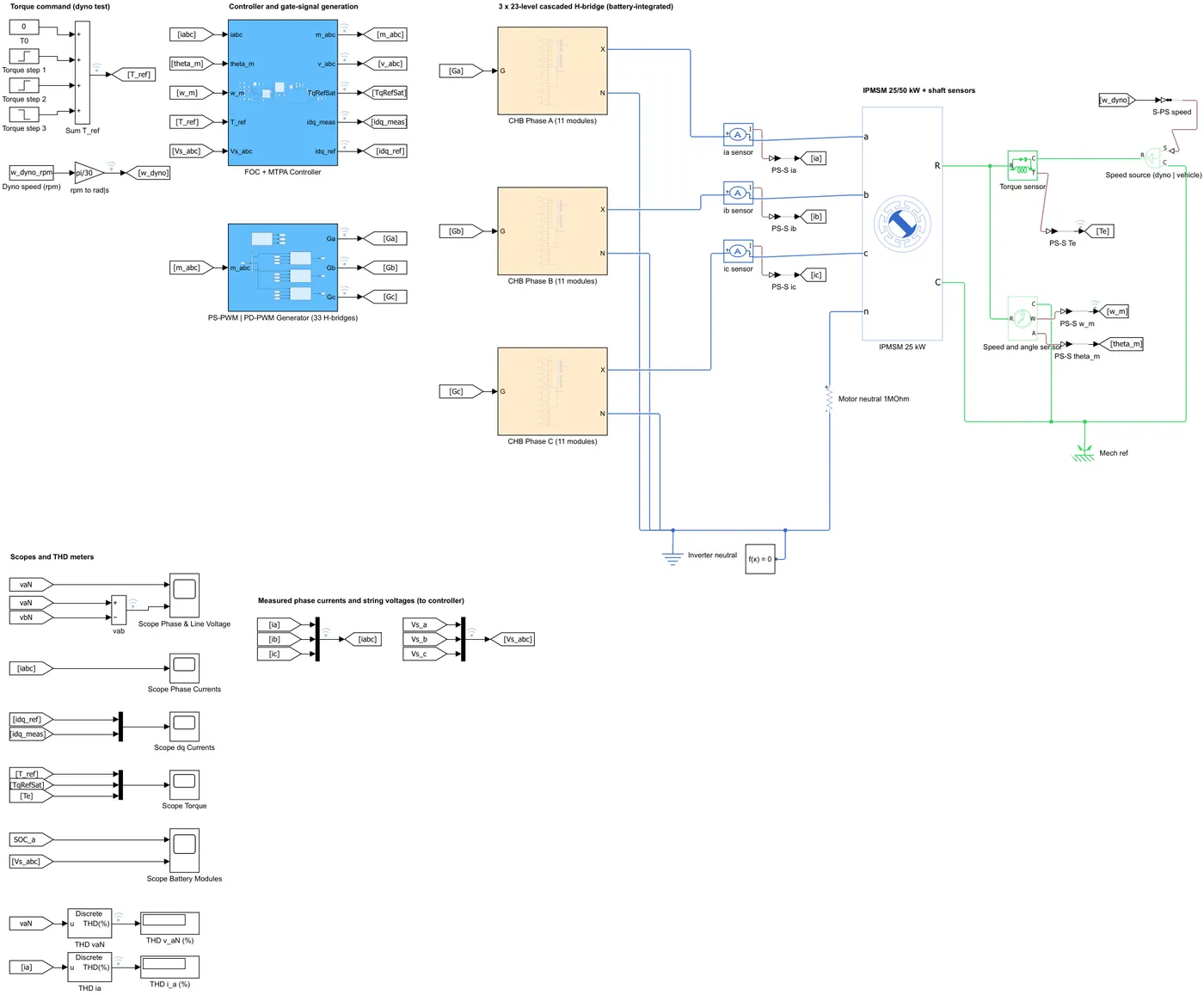 AdvancedLive animation
23-level cascaded H-bridge inverter + IPMSM EV drive
A multilevel inverter feeding an interior PM motor, run over a full driving cycle.
View experiment →
Converters and inverters that move energy between batteries, motors and the grid.
 BeginnerLive animation
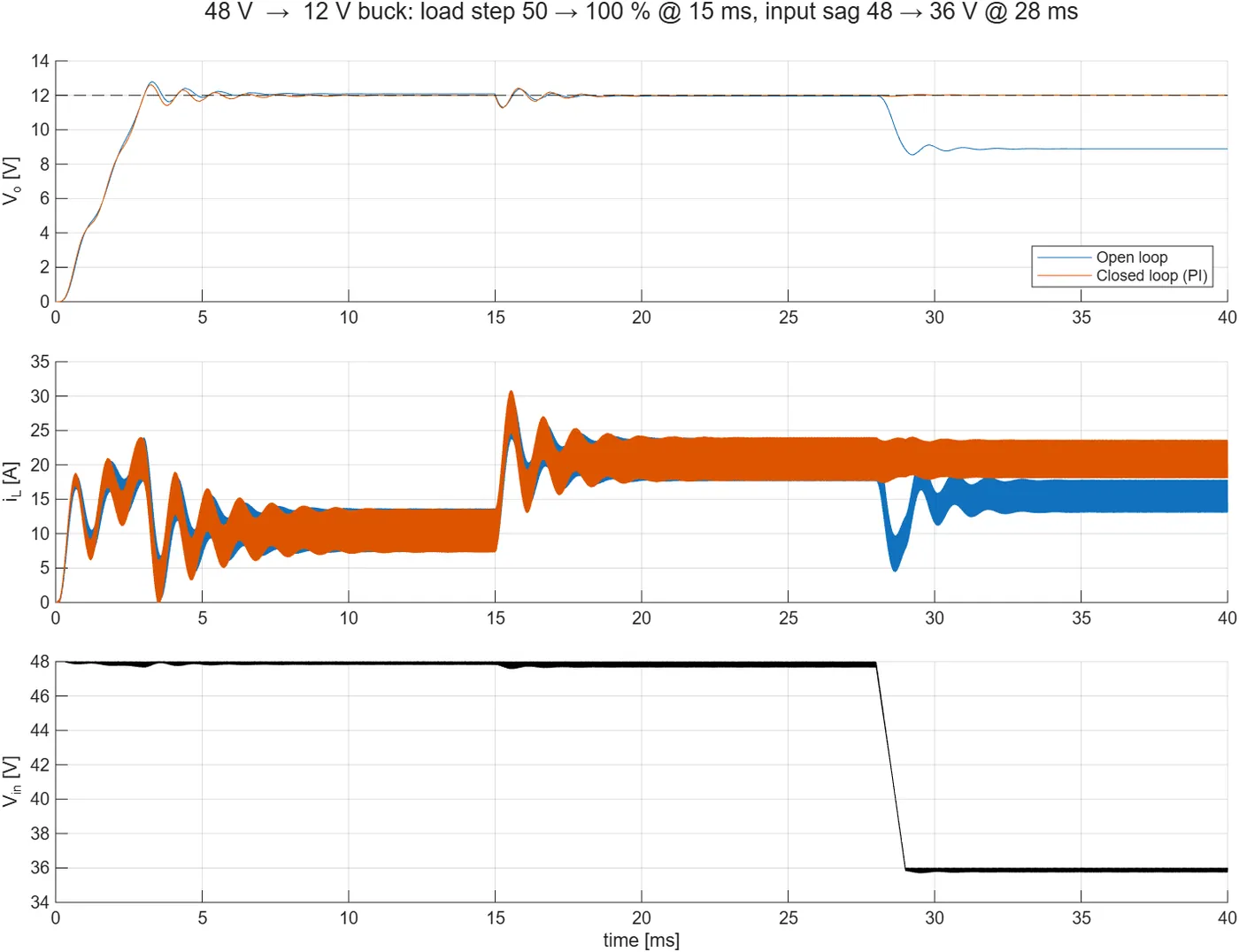
48 V → 12 V automotive buck converter (250 W)
The DC-DC converter that feeds a car's 12 V system from a 48 V mild-hybrid battery.
View experiment →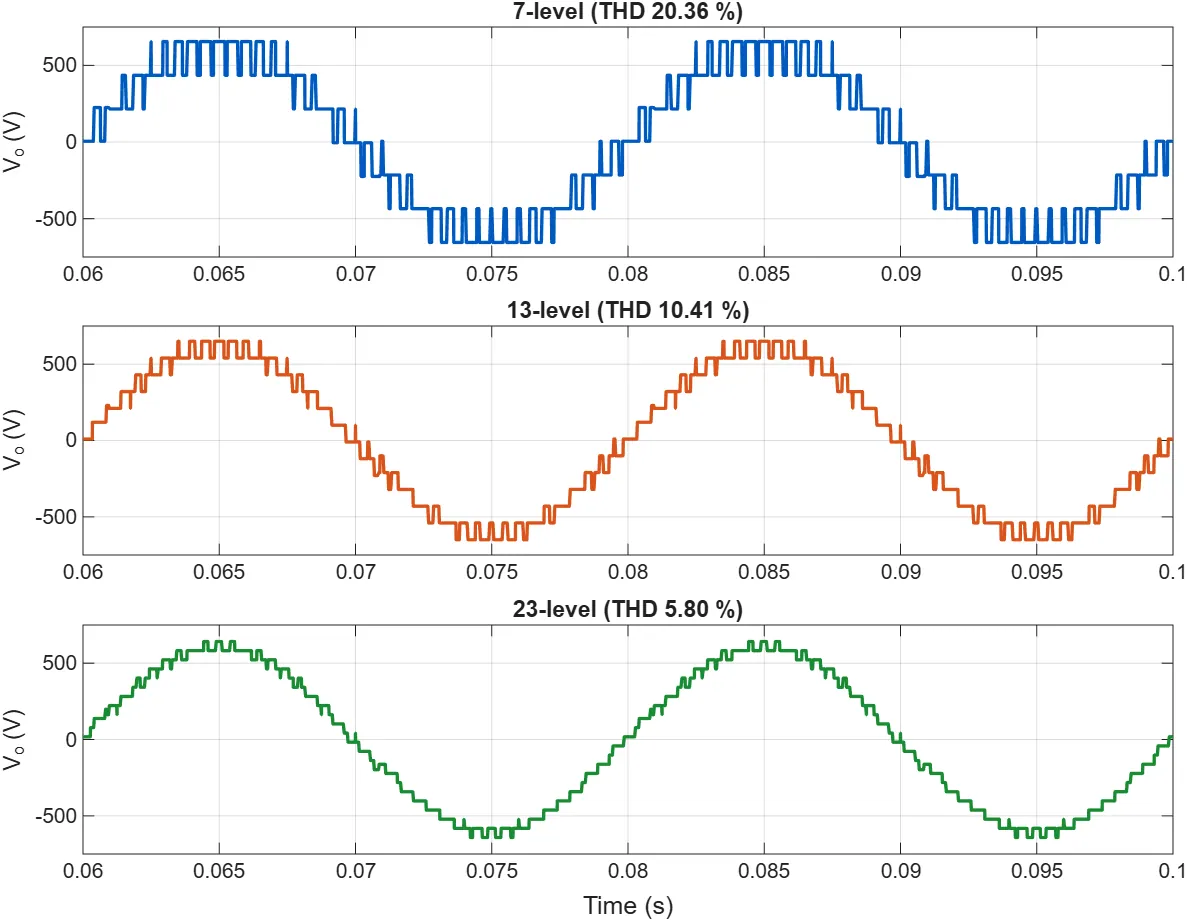 IntermediateLive animation
Cascaded H-bridge multilevel inverter (7, 13, 23 levels)
See how adding voltage levels makes an inverter's output closer to a sine wave.
View experiment →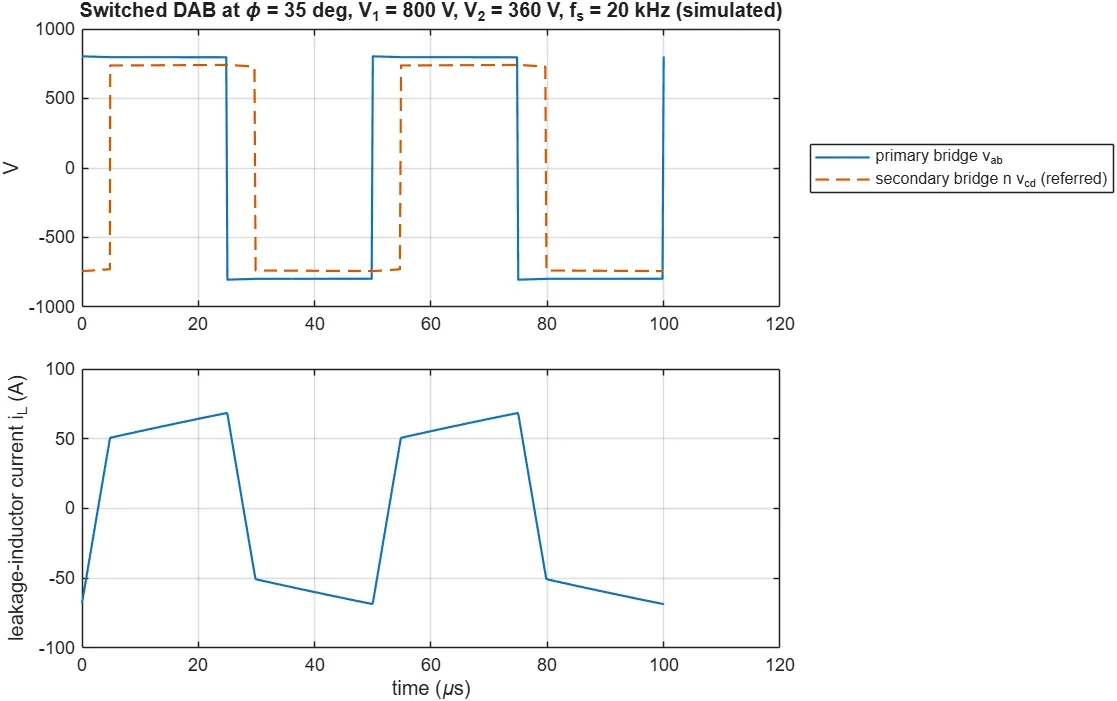 AdvancedLive animation
30 kW DAB fast charger for two EVs
An isolated dual-active-bridge charger that safely charges one of two electric cars.
View experiment →
Cells, vehicle dynamics and grid-connected inverters.
 BeginnerLive animation
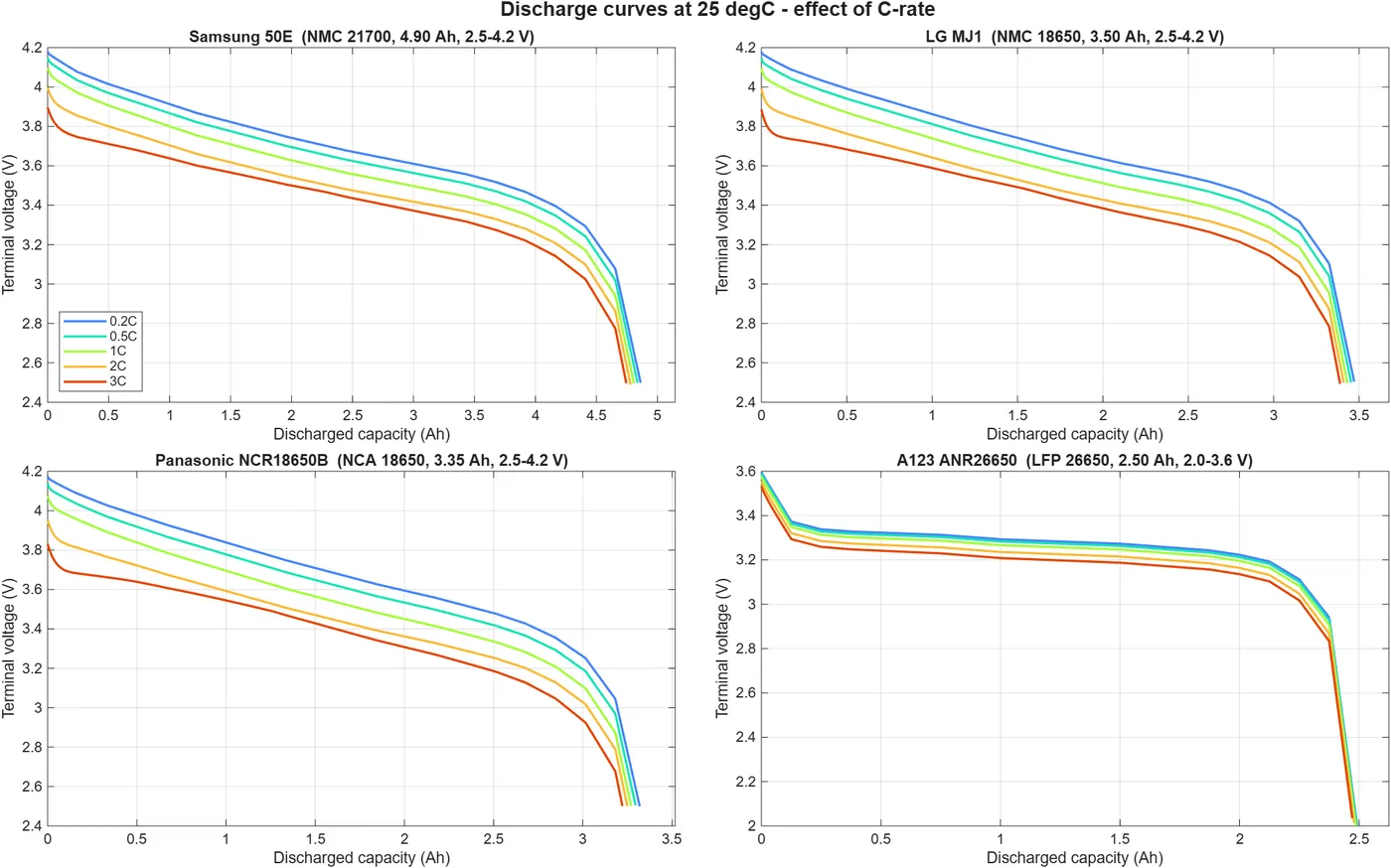
Li-ion cell charge/discharge: four commercial cells
Compare Samsung, LG, Panasonic and A123 cells side by side under different currents and temperatures.
View experiment →- IntermediateLive animation
Torque vectoring with multi-motor EVs
An interactive MATLAB module on 2-, 3- and 4-motor torque vectoring, with a live vehicle simulator.
View experiment → 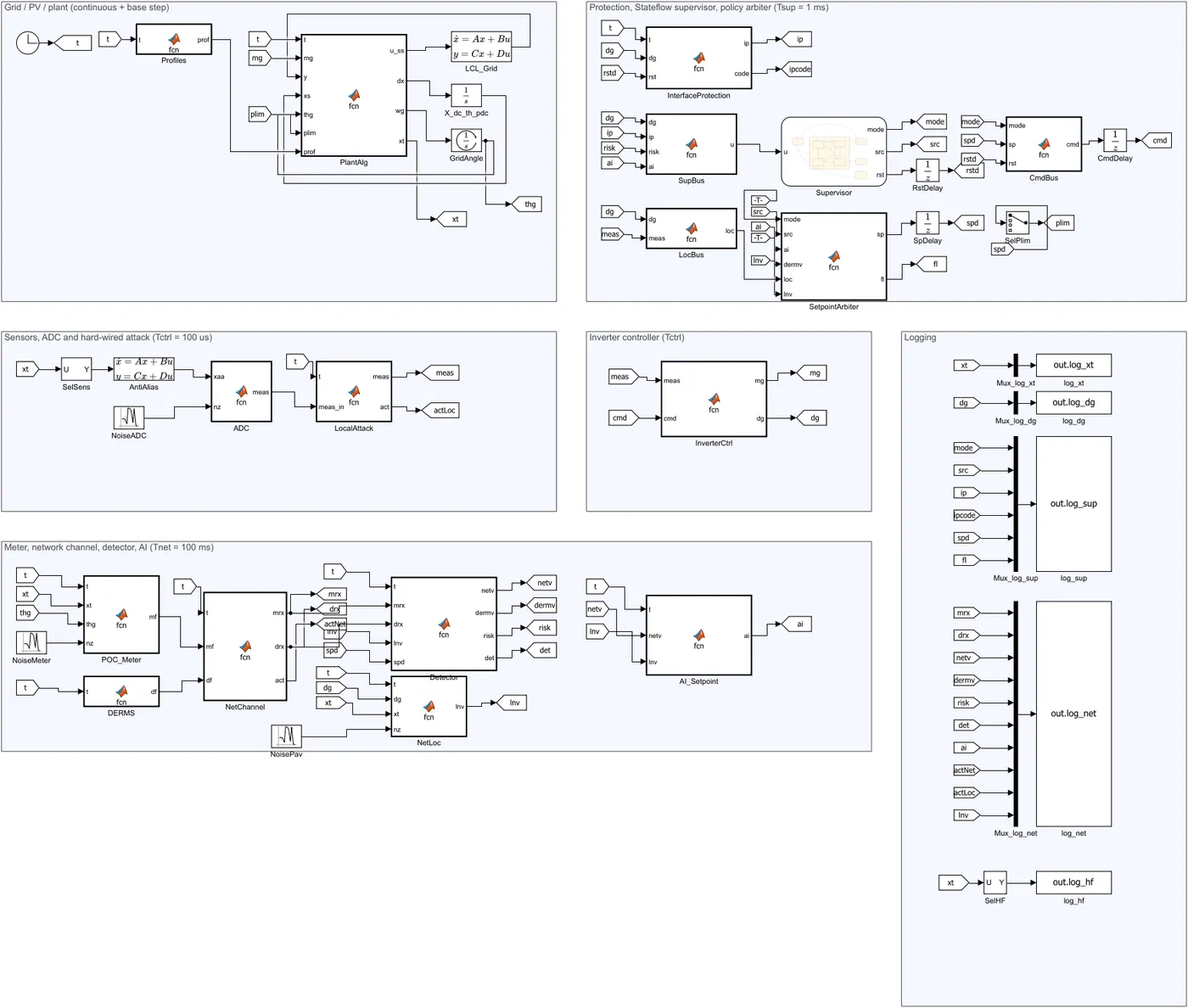 Advanced
Smart grid inverter with AI and cybersecurity
A 10 kW solar inverter that follows grid rules, uses AI set-points and detects cyber attacks.
View experiment →
MATLAB apps for motor design, plus a model-based robot arm.
 IntermediateLive animation
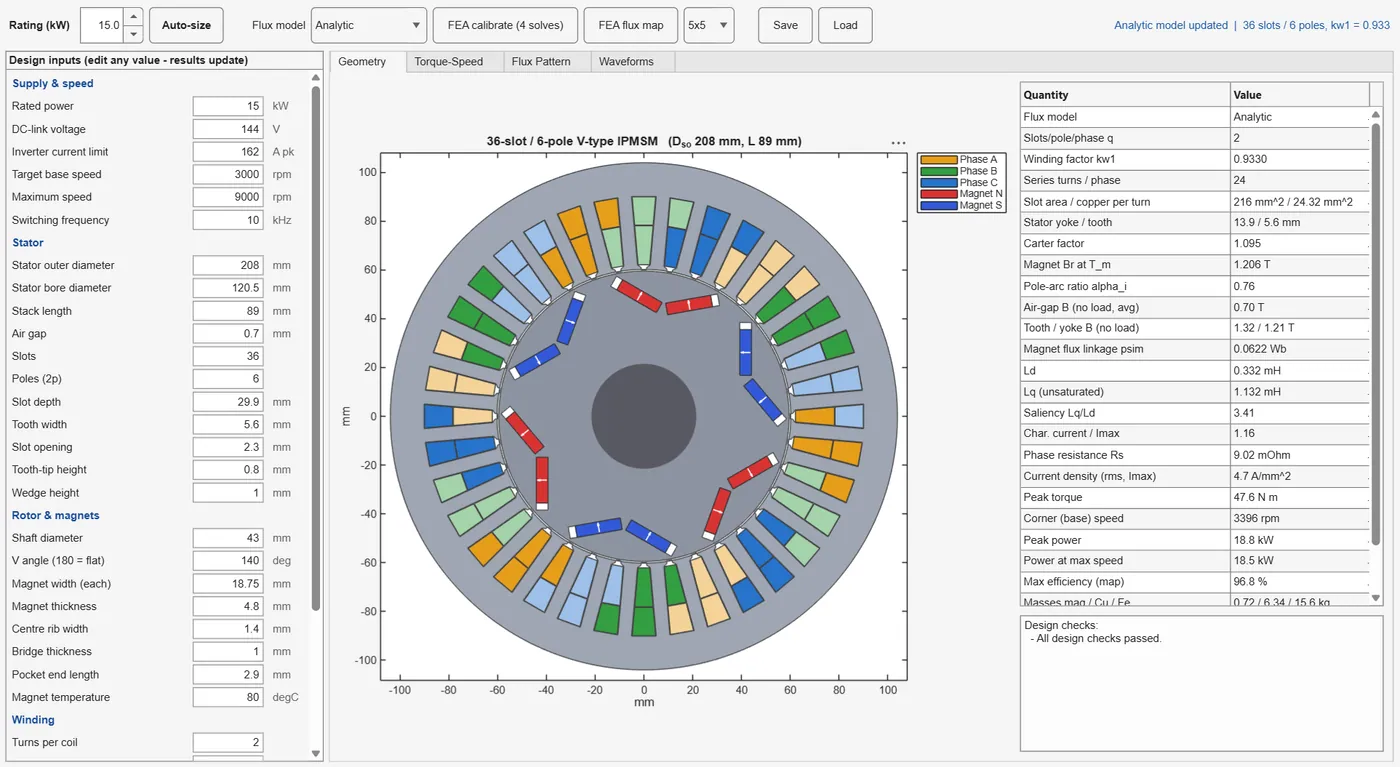
IPMSM motor designer app (3.3–50 kW)
Design an interior permanent-magnet motor from its geometry and see torque-speed, flux and efficiency.
View experiment →- IntermediateLive animation
Induction traction motor designer app (3.3–50 kW)
Design a cage induction motor for EV traction and compare it with the IPMSM.
View experiment → - IntermediateLive animation
SRM 8/6 traction motor designer app (3.3–50 kW)
Design an 8/6 switched reluctance motor, with sliding-mode control and optimised firing angles.
View experiment →  Intermediate
4-DOF pick-and-place robot arm
A robot arm with a gripper that repeatedly picks and places a cube, designed model-based from scratch.
View experiment →
How it works
From this page to MATLAB Online in four steps
Explore
Browse the experiments, see the model and results, and try the live animations.
Request the files
Tap Request files. We send the experiment package on WhatsApp or email.
Upload to MATLAB Drive
Open matlab.mathworks.com, sign in, and upload the unzipped folder to MATLAB Drive.
Run in MATLAB Online
Open the folder, open the model or app, and press Run — in MATLAB R2026a.
Most experiments use Simulink and Simscape toolboxes. Use your college’s campus licence or a MathWorks trial in MATLAB Online. Each experiment lists exactly what it needs.
Want guided practice?
Our live courses walk you through these models step by step.
Call / WhatsApp +91 80155 06307 · director@auravolt.in