

AdvancedMATLAB R2026a
Axial-flux PM motor designer app (3.3–50 kW)
Design a YASA, TORUS or single-sided axial-flux motor with multi-slice FEA, and compare it with IPMSM, induction and SRM motors.
Aim
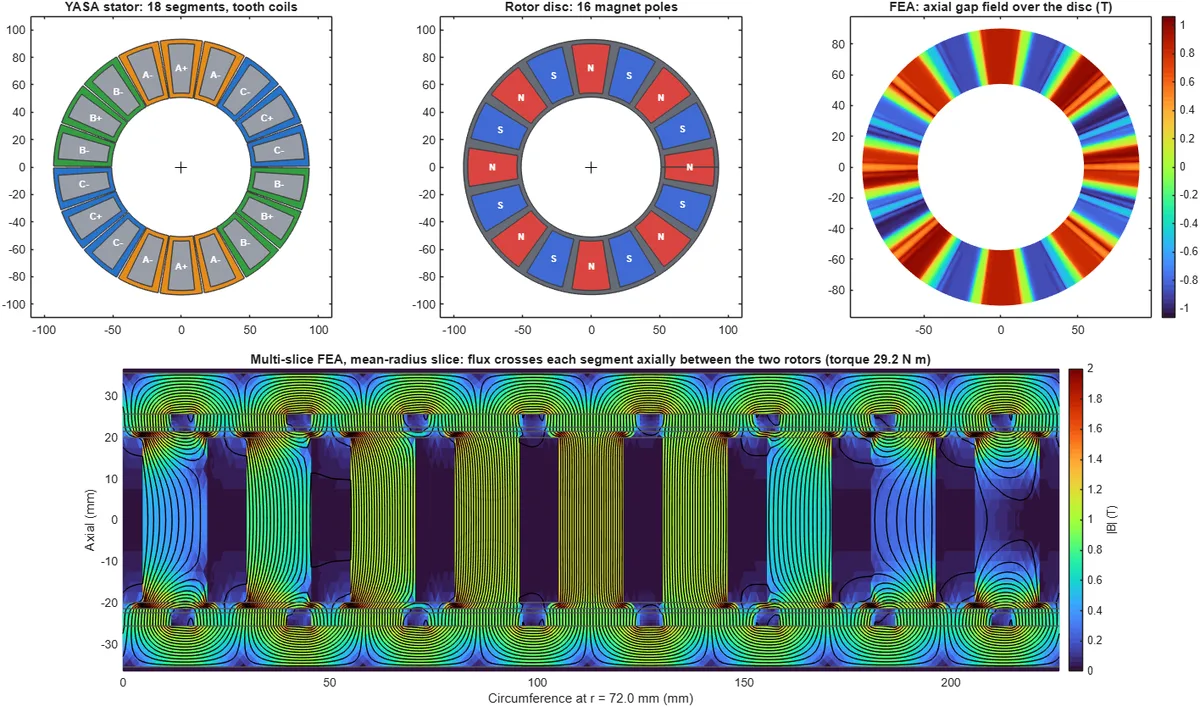
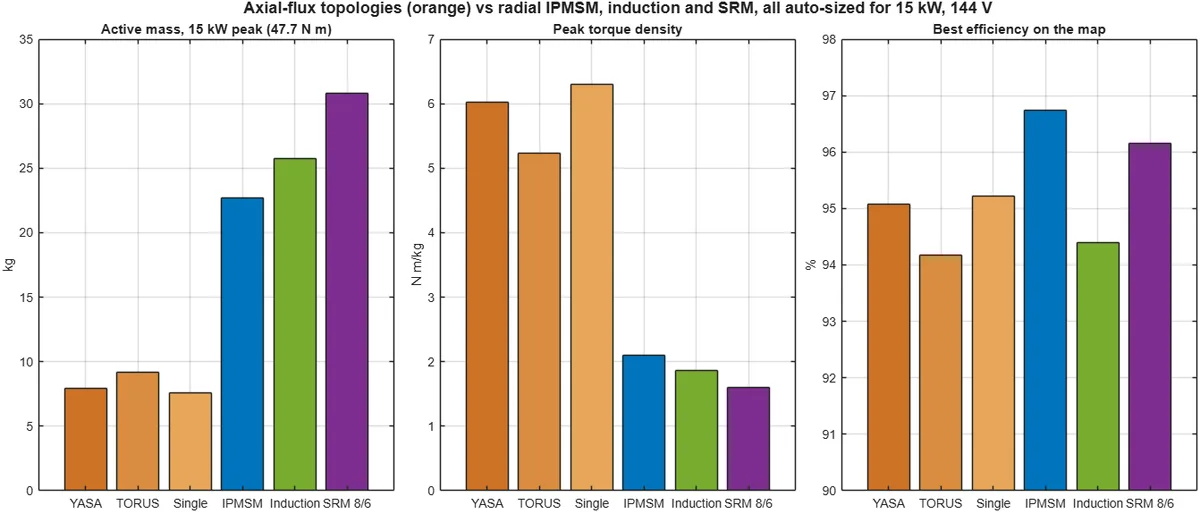
Size an axial-flux permanent-magnet traction motor from its disc geometry, magnets and winding, check it with quasi-3-D finite-element analysis, and compare the three axial-flux topologies with radial IPMSM, induction and switched reluctance motors at the same rating.
What you’ll learn
- Axial-flux topologies: YASA, TORUS-NS and single-sided
- Concentrated and toroidal windings, slot/pole combinations
- Multi-slice (quasi-3-D) FEA: back-EMF, cogging and axial pull
- Axial-flux vs IPMSM vs induction vs SRM for EV traction
Try it here
An interactive illustration of the idea behind this experiment.
How to run it in MATLAB Online
- Unzip the package we send you.
- Go to matlab.mathworks.com and sign in (campus licence or MathWorks trial).
- In MATLAB Drive, click Upload and choose the unzipped folder.
- In MATLAB Online, open the folder and double-click the model (.slx) or run the start script named in README.
- Press Run. Results appear in the scopes, dashboard or figures.
Learn this with an expert
Join a live course and build models like this step by step.
Call / WhatsApp +91 80155 06307 · director@auravolt.in